
There are different ways to search for meetings on this website. Choose the one suits your purpose:
- I’m looking for an In-Person meeting close to my current location.
- I am looking for the next available Online meeting.
- I’m looking for an In-Person meeting close to somewhere other than my current location.
- I want a list of all meetings in a particular state or region, or on a particular day or time of day, or meetings tagged with a particular type or attribute.
- I’m looking for a particular meeting and I know the name of the group or the name of the meeting.
- I want to see where meetings are located on a map.
- I’m using a small screen so I want to see a more compact list and be able to drill down or search for a meeting.
- I want a list of meetings in a format suitable for printing.
- I’m looking for mobile app so I can find AA meetings anywhere in the world – including Australia.
I’m looking for an In-Person meeting close to my current location

From the Local Meetings Nearby section on the front page, click on the ‘Near Me‘ button. The website will get your current location from your device. The first time you do this, you will need to give permission for your location to be shared. * See note below about the accuracy of locations
A list of meetings is displayed in distance order with the closest meetings at the top.
Note that the distance calculated and used for sorting is a direct point-to-point line as-the-crow-flies, not the driving distance. In almost all cases, this is generally sufficient to find a list of the closest meetings. ** See note below re driving distance vs direct line.
Clicking on the Get Directions button on any of the meetings opens Google maps which will show you the driving distance and estimated time to get to the meeting venue.
You can use the drop down menus to narrow the search to a particular day and/or a particular time of day and/or by meeting type/attribute.
This list only includes meetings you can attend In-person. It includes hybrid (combined In-person & online) meetings. But it does not include online-only meetings.
This list does not include meetings that are temporarily closed or temporary online.
At the top right of the list, there is a ‘Download PDF‘ button which allows you to download the first 25 meetings in the list into a PDF suitable for printing.
I am looking for the next available Online meeting

From the front page, click on the Online Meetings Up Next heading.
A list of online meetings is displayed.
At the top of the list are the meetings that have started in the last 60 minutes. These are followed by the meetings that are about to start next. The page automatically scrolls to the start of the next upcoming meeting so you can choose one to attend.
If you missed the start of a meeting that is currently in progress, or if you dropped out of a meeting and want to get back in, you can scroll back to find it.
The number of minutes to the start of the meeting (or since the meeting started) is shown.
The meeting are listed in universal time order regardless of timezone. The scheduled time to start is accurate and counts down in real time. So, for example, a 7pm meeting in Perth will be shown as starting 60 minutes after the start of an 8pm meeting in Sydney because of the two hour difference in timezone.
This list does not include meetings that are in-person only. But it does include hybrid (in-person & online) meetings.
At the top right of the list, there is a ‘Download PDF‘ button which allows you to download the displayed list into a PDF suitable for printing.
I’m looking for an In-Person meeting close to somewhere other than my current location

On the front page, in the Find Meetings Nearby section start typing the name of the Australian suburb or town in the box provided.
A list of matching place names appears under the box. When you see the place name you want, click on it.
A list of meetings is displayed in distance order with the closest meetings at the top.
Note that the point used to calculate the distance to the venue is from the geographic center of the town or suburb you select, not your current location. * See note below about the accuracy of locations
Note that the distance calculated and used for sorting is a direct point-to-point line as-the-crow-flies, not the driving distance. In almost all cases, this is sufficient to find a list of the closest meetings. ** See note below re driving distance vs direct line.
Clicking on the Get Directions button on any of the meetings opens Google maps which will show you the driving distance and estimated time to get to the meeting venue.
You can use the drop down menus to narrow the search to a particular day and/or a particular time of day and/or by meeting type/attribute.
This list only includes meetings you can attend In-person. So it does not include online-only meetings, but it does include hybrid (combined In-person & online) meetings. And it does not include meetings that are temporarily closed or temporarily online.
At the top right of the list, there is a ‘Download PDF‘ button which allows you to download the first 25 meetings in the list into a PDF suitable for printing.
I want a list of all meetings in a particular state or region, or on a particular day or time of day, or meetings tagged with a particular type or attribute

On the front page, click on the All Meetings heading.
A list of all meetings is displayed.
Note that this list includes In-person, online and hybrid meetings. It also includes meetings that are temporarily closed or temporarily online.
Clicking on the Get Directions button on any of the in-person meetings opens Google maps which will show you the driving distance and estimated time to get to the meeting venue.
Use the drop-down menus to narrow the list by state/region and/or day and/or time of day and/or meeting type/attribute.
At the top right of the list, there is a ‘Download PDF‘ button which allows you to download the displayed list into a PDF suitable for printing.
I’m looking for a particular meeting and I know the name of the group or the name of the meeting
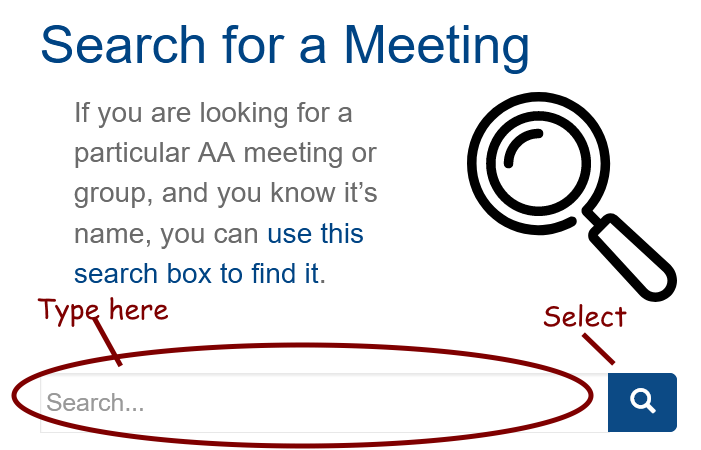
In the Search for a Meeting section on the front page, type in the name of the group or meeting. Often, only part of the name is necessary. Click the search button. A list of meetings where the name matches is displayed. Select the one you are after to view the details.
Meeting names are generally in this format – {Group name} {Suburb/Town} {Day of the Week}.
Group names are chosen by group itself. Often, the group name is simply the suburb or town name and the day of the week. In some cases, the group name is a reference to a phrase in AA literature or a popular AA saying which helps to identify the group.
I want to see where meetings are located on a map

On the front page, click on the heading Map of Meetings.
You can zoom in and scroll around the map.
And you can use the drop down menus to narrow the search to a particular state/region and/or day and/or a particular time of day and/or by meeting type/attribute.
I’m using a small screen so I want to see a more compact list and be able to drill down or search for a meeting
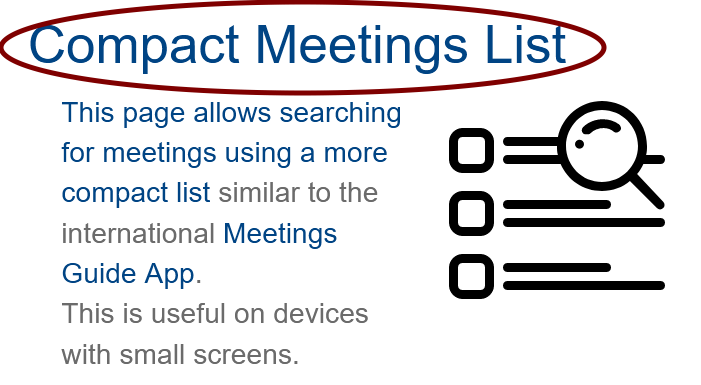
On the front page, select the Compact Meetings List heading.
This list shows a brief description of each meeting and the drop-down menus at the top allow you to search for a meeting by name or by suburb/time and to filter the list by selecting state/region and/or day and/or time of day and/or meeting type/attribute.
I want a list of meetings in a format suitable for printing

From the front page click on the PDF Download heading.
You can then select a PDF to download.
- The Local Meetings PDFs only include active In-Person and Hybrid meetings.
- The Online Meetings PDF only includes Online and Hybrid meetings
- The All meetings PDF lists include all meetings – In-person, Online, Hybrid and Inactive.
Alternatively, the ‘Local Meetings Nearby‘, ‘Online Meetings Up Next‘ and ‘All Meetings‘ pages, each have a ‘Download PDF‘ button which downloads a PDF of the list shown on the page.
I’m looking for mobile app so I can find AA meetings anywhere in the world – including Australia
The Meeting Guide app lists meetings worldwide.
On the front page, click on the International Meeting Guide App heading for more details and links for downloading the app to your device.
* Note regarding accuracy of locations
If you are using a phone or other mobile device, the accuracy of your current location will be precise, so the point-to-point ‘as the crow flies’ distance to each meeting will be accurate.
But if you are using a PC, the location your browser sends to websites can be less accurate and depends on various factors including which ISP you are using. In this case, the distances calculated and therefore the order of the meetings in the list is a little less reliable.
The system uses the Google maps API to pinpoint venue locations. So overall accuracy is dependent on the accuracy of Google maps.
When searching for meetings based on a location other than your current location, the system uses the Google maps API to first find the geographic center point of the town, suburb or postcode you’ve entered. The system then calculates the distance from that center point to each venue and uses that distance to sort the list. Please keep this in mind when viewing the list.
** Note regarding geographic point-to-point distance vs driving distance
The distances used to calculate and sort meetings are point-to-point ‘as the crown flies’ straight lines rather than driving distance. This sometimes means that a meeting geographically close to you, but perhaps across a river or a harbor, may be listed as being closer than others even though, in practical terms, it will take longer to get there.
It is not practical for the website to use driving distance to sort the lists of closest meetings. For that to happen, for each inquiry, real-time calls would need to be made to the Google maps API to get the driving distance to each venue. This would slow down the time taken to display the list to an unacceptable level.
Clicking on the Get Directions button on any of the in-person meetings opens Google maps which will show you the driving distance and estimated time to get to the meeting venue.